
This error typically applies to users who are configuring BItTitan from outside of the corporate network. If you encounter this error while at the office, first reboot your machine.
If you see this error:
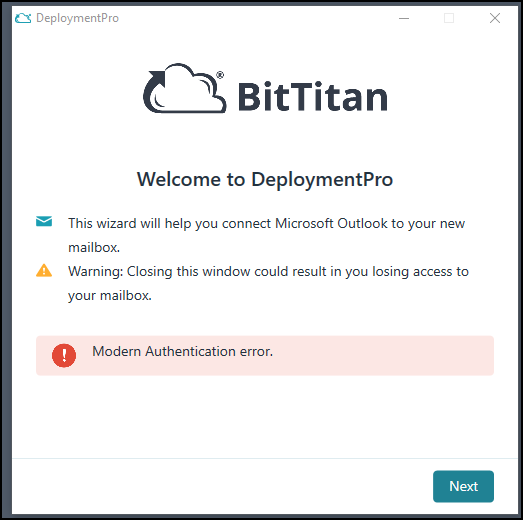
Option 1: Try to connect to VPN and refresh your policies
Step 1: Connect to VPN
Step 2: Open a command window by clicking START > Run (or Search) and typing "cmd" and pressing enter.
Step 3: In the black window command that appears type "gpupdate /force".
Step 4: Wait about 10 minutes and retry Deployment Pro.
Option 2: Direct Registry Update
Note you should never typically edit your registry or allow applications to do so, but this is a one-time exception for those who are not able to receive these settings via Group Policy.
Step 1: Download and install the file attached to this solution on your machine
Step 2: Accept the warning. Similar to the one below:
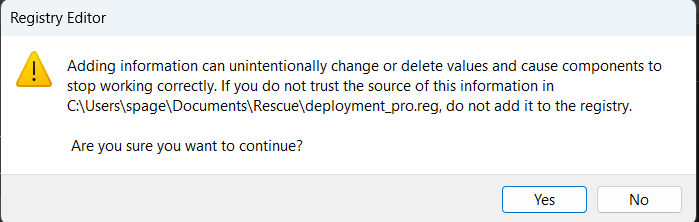
Step 3: Retry Deployment Pro
Note your machine must also meet these prerequisite requirements:
- Microsoft Windows 8 or later (With the latest Windows updates), including TLS 1.2 support. For more information, see Microsoft's update information
- .NET Framework version 4.5.2 or later
- Supported Outlook versions:
- Microsoft Outlook 2019 (DeploymentPro cannot reattach PST or migrate Autocomplete)
- Microsoft Outlook 2016 (with March 2016 PU)